Restaurant POS Software in India – Run Your Restaurant Smarter with Bhojoo
Running a successful restaurant today is much more than preparing great food.
Restaurant owners have to manage billing, customer orders, kitchen communication, tables, payments, inventory, staff access and daily business reports—all while ensuring customers receive fast and accurate service. When these operations are handled through separate systems, handwritten KOT slips or manual records, mistakes and delays become much more likely.
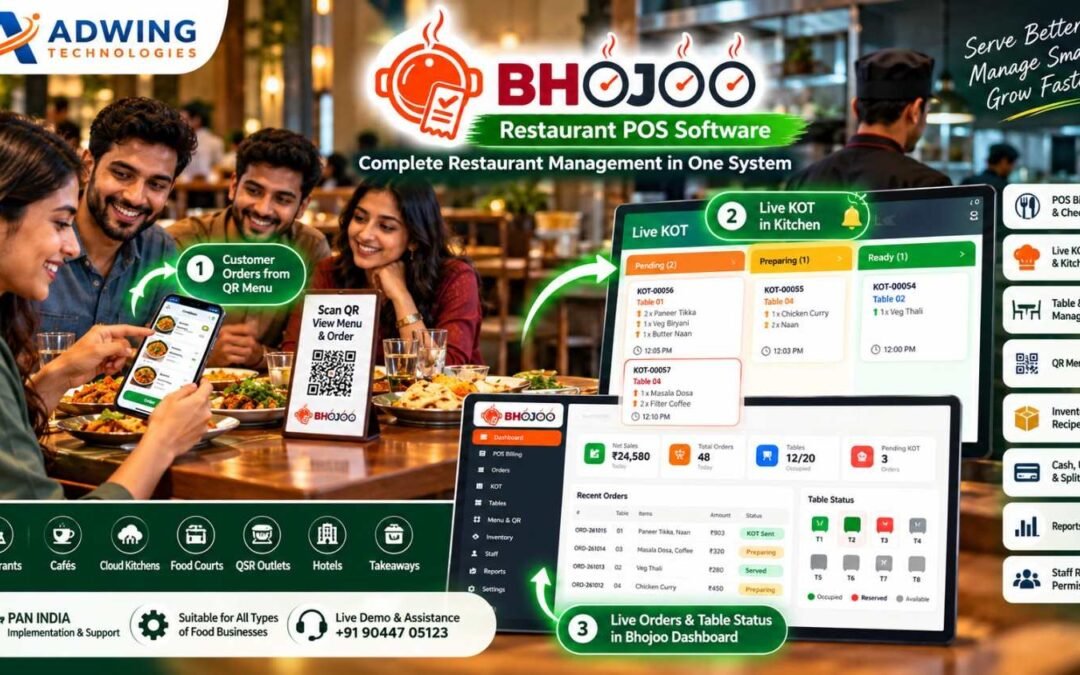
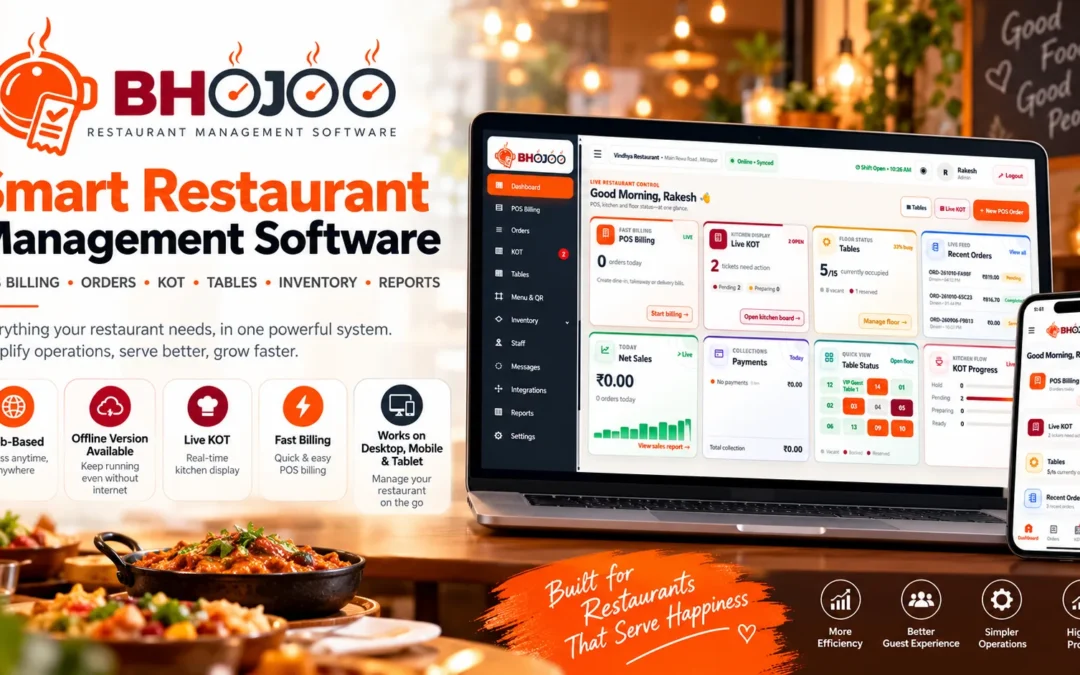
Bhojoo Restaurant POS Software by Adwing Technologies is designed to connect the complete restaurant workflow—from the moment a customer places an order until the final bill is settled and the transaction appears in management reports. Whether you operate a family restaurant, café, cloud kitchen, QSR, food court or growing restaurant business, Bhojoo gives your team one practical system for everyday restaurant operations.
What is Bhojoo Restaurant POS Software in India ?
Bhojoo is a restaurant management and POS platform designed around real restaurant workflows.
It connects the front counter, waiter, tables, kitchen, cashier and restaurant owner instead of treating each activity as an independent process.
A restaurant can use Bhojoo to handle:
POS Billing and Checkout
Dine-In, Takeaway and Restaurant Orders
Live KOT and Kitchen Workflow
Same-Table Repeat Orders
Table and Floor Management
Table Reservation
QR Menu Ordering
Menu Items, Categories and Rates
Cash, UPI, Card and Split Payments
Customer Bill and Final Settlement
Inventory and Stock
Recipe Costing
KOT and Bill Printing
Staff Roles and Permissions
Order History
Reports and Payment Summaries
Audit and Controlled Corrections
Mobile-Friendly Restaurant Operations
This connected structure gives restaurant owners better visibility over what is happening at the counter, on the restaurant floor and inside the kitchen.
1. Fast POS Billing for Restaurants
Billing is one of the most important areas of restaurant operations. During peak hours, customers should not have to wait while staff manually calculate totals or search through complicated billing screens.
Bhojoo provides a structured Restaurant POS Billing Software workflow where users can quickly select menu items, quantities, tax settings and applicable notes before creating the bill. The system is designed to support everyday restaurant billing for dine-in, takeaway and other configured order types.
This helps the counter team process orders more efficiently while keeping restaurant transactions connected with order history and reports.
Customer Bill Before Final Settlement
One useful restaurant workflow in Bhojoo is the separation between the customer bill and final settlement. The customer bill can be reviewed or printed first. The restaurant table or running order remains active until the cashier or authorized user completes final payment settlement. This is important because printing a bill does not always mean the customer has already paid. Bhojoo keeps that distinction clear.
2. Live KOT Management & Kitchen Display
A restaurant’s kitchen needs accurate information at the right time. Bhojoo’s Live KOT Management creates a direct operational connection between order entry and kitchen preparation. Kitchen orders can move through statuses such as:
Pending → Preparing → Ready → Served
This allows front-desk and kitchen teams to understand the progress of every active order. Instead of repeatedly asking whether a dish is ready, the operating team can follow the KOT status through the system. For busy restaurants, cafés and food courts, this can significantly improve kitchen coordination.
3. Same-Table Repeat Order with ADD KOT
Customers frequently add more items after the first order. A normal billing system may create another disconnected order, making the final bill and kitchen workflow confusing. Bhojoo handles this through a Same-Table Repeat Order workflow.
The running table remains connected to the original order. When additional items are ordered, Bhojoo can create an ADD KOT containing only the newly added items, while the customer still receives one combined final bill. This is particularly useful for dine-in restaurants where customers may order starters first, followed by main course, beverages or desserts later.
4. Modify, Cancel or Replace KOT with Control
Restaurant orders sometimes change after they reach the kitchen.
A customer may:
change quantity,
cancel an item,
replace one dish with another,
or cancel an entire KOT.
Simply overwriting the original order can create confusion and make it difficult for the owner to understand what happened. Bhojoo supports controlled KOT adjustment workflows so modifications remain operationally visible. This gives the kitchen clearer instructions while preserving better accountability.
5. Smart Table & Floor Management
For a dine-in restaurant, table visibility is essential. Bhojoo provides Table and Floor Management so restaurants can organise tables by areas such as:
Main Hall, Family Area, Rooftop, Ground Floor, Window Area or any restaurant-specific floor layout. The team can quickly identify table status such as available, occupied/running or reserved. Instead of depending on verbal communication between waiter and reception staff, the system gives the restaurant team a common table view.
Table Reservation
Restaurants can also manage reservations and keep the reservation status visible to authorised staff. This is useful for restaurants that receive advance table bookings, family reservations and special dining requests.
6. QR Menu Ordering – Customer Order Directly to Restaurant Workflow
One of Bhojoo’s strongest modern restaurant features is QR Menu Ordering. A guest can scan the restaurant QR code using a mobile phone and view the digital menu. The customer can browse categories and items, select food, choose the table where applicable, enter required information and place the order.
The order can then enter the restaurant workflow and become visible for KOT/kitchen processing. This creates a simple journey:
Customer scans QR → Opens Mobile Menu → Selects Items → Places Order → Order Reaches Restaurant → Live KOT → Kitchen Preparation
For restaurants that want to offer contactless ordering and modern digital menus, this can significantly improve the customer experience.
New dishes are introduced. Some items become temporarily unavailable.
Bhojoo allows restaurants to organise menu categories and maintain item information, prices, applicable tax/GST configuration, descriptions and availability. This gives restaurant operators more control without needing to recreate the complete menu whenever something changes.
8. Cash, UPI, Card & Split Payments
Indian restaurants receive payments through multiple channels. Bhojoo supports practical settlement modes such as:
Cash, UPI, Card and Split Payment.
Split Payment is especially useful when customers want to divide one restaurant bill between different payment modes.
For example:
₹1,000 Cash + ₹1,500 UPI + remaining amount by Card. Instead of creating separate bills, payment portions can remain connected to the same restaurant transaction.
9. Cash Received & Change Return
Cash transactions need accurate settlement. Bhojoo can record the amount received from the customer and calculate the change to be returned. This creates a clearer cashier workflow and reduces manual calculation during busy restaurant hours. Applicable round-off can also be handled so the final payable amount remains clear.
10. Payment Mode Correction with Audit History
Mistakes can happen.
A cashier may accidentally settle a UPI payment as Cash or choose the wrong payment mode. In a basic system, the user may have to delete or recreate the bill. Bhojoo provides controlled Payment Mode Correction for authorized users.
The correction can be made with a reason and maintained in the audit trail. This is far better for owner control because the original transaction history is not silently erased.
11. Settled Bill Void Approval
Cancelling a settled bill should never be an uncontrolled action. Bhojoo supports a controlled settled-bill void workflow where appropriate permissions and approval can be required. This gives restaurant owners better protection against unauthorized bill deletion or manipulation. For restaurants where multiple employees use the billing system, this is an important management feature.
12. Restaurant Inventory & Stock Management
Billing tells you what was sold. Inventory helps you understand what is left. Bhojoo provides restaurant inventory controls for stock items, stock movement, current balances and low-stock visibility. Restaurant owners can use this information to improve purchasing and reduce situations where important ingredients unexpectedly run out. For businesses with a large menu, inventory visibility becomes especially valuable.
13. Recipe Costing & Raw Material Consumption
Food cost is one of the biggest factors affecting restaurant profitability. Bhojoo can connect recipes with inventory to help understand raw-material consumption associated with menu items. For example, selling a dish may affect the related ingredient stock according to the configured recipe structure. This helps restaurant management move beyond simple billing and develop better visibility over food cost and stock usage.
14. Role-Based Login for Admin, Cashier, Waiter & Kitchen
Every employee should not have access to every restaurant control. Bhojoo can separate access according to staff responsibility.
A waiter may need tables and orders. Kitchen staff need KOT and preparation status. A cashier needs billing and settlement.
The owner or admin requires reports, permissions, sensitive corrections and configuration. Role-based access helps restaurant owners maintain better operational security.
15. Restaurant Reports & Owner Dashboard
Restaurant owners need more than a total sales figure. Bhojoo brings important operational information together through dashboards and reports. Owners can review information related to sales, orders, tables, KOT activity, payments and restaurant transactions.
Payment summaries can help distinguish Cash, UPI, Card and Split collections. This makes daily reconciliation easier and provides management with a clearer picture of restaurant activity.
16. Order Search, History & Audit Trail
Restaurant operations create hundreds or thousands of transactions over time. When an owner needs to check an old order, investigate a correction or understand why a payment was changed, proper history becomes extremely important. Bhojoo keeps searchable order records and supports audit visibility for sensitive activities such as KOT adjustments, payment corrections and controlled void actions.
This improves accountability across restaurant operations.
Restaurant POS Software for Different Food Businesses
Bhojoo is suitable for different restaurant formats, including family restaurants, cafés, casual dining restaurants, QSR outlets, food courts, takeaway businesses, cloud kitchens, hotel restaurants and growing restaurant chains. The exact workflow can be configured according to the number of tables, counters, users and kitchen operations.
Restaurant POS Software Across India
Bhojoo is positioned for restaurants across India with remote product demonstration, setup guidance and support from Adwing Technologies. That means a restaurant does not need to be located near the Adwing Technologies office to discuss or evaluate Bhojoo.
Whether your restaurant operates in Delhi, Noida, Ghaziabad, Mumbai, Pune, Bengaluru, Hyderabad, Chennai, Kolkata, Ahmedabad, Jaipur, Lucknow, Varanasi, Prayagraj, Mirzapur or another Indian city, the Bhojoo workflow can be demonstrated remotely according to your restaurant requirements. The objective is not to force every restaurant into the same configuration.
The number of tables, order type, kitchen workflow, users, billing process and reporting requirements should be understood before implementation.
Why Bhojoo is More Than Basic Restaurant Billing Software
Many POS applications focus primarily on generating bills. But a restaurant operates through a much longer workflow.
A real restaurant cycle may look like:
Table Selection → Customer Order → KOT → Kitchen Preparation → Repeat Order → Bill → Payment → Table Release → Reports
Bhojoo is built around this connected restaurant process. It also handles the exceptions that happen in real restaurants—repeat orders, changed KOTs, cancelled items, split payments, payment mistakes and controlled voids. This is what makes Bhojoo more than a simple restaurant billing application.
Benefits of Using Bhojoo Restaurant Management Software
For restaurant owners, the main benefit is better operational control. A connected system can help reduce billing confusion, improve kitchen communication, maintain clearer table status, track payment modes, monitor inventory and provide stronger visibility into daily restaurant activity.
For restaurant staff, a structured workflow can make everyday responsibilities easier to understand. For customers, faster service and accurate order processing can create a better dining experience.
Bhojoo Restaurant POS Demo – See the Complete Workflow
Choosing restaurant software only by reading a feature list is not enough.
The best way to evaluate Bhojoo is to see how it handles your actual restaurant workflow. During a demonstration, you can review areas such as: POS Billing, Table Management, Live KOT, Same-Table Repeat Orders, QR Ordering, Customer Bill, Final Settlement, Cash/UPI/Card/Split Payment, Inventory, Staff Permissions and Reports.
Share your restaurant name, number of tables, order workflow and important requirements with Adwing Technologies to arrange a Bhojoo demonstration.
Live Demo & Enquiry: +91 90447 05123
Conclusion – Bring Your Complete Restaurant Workflow into Bhojoo
Restaurants need speed at the counter, accuracy in the kitchen and control for the owner.
Managing these areas through separate registers or disconnected applications makes restaurant operations unnecessarily difficult.
Bhojoo Restaurant POS Software brings POS billing, orders, Live KOT, tables, QR ordering, payments, inventory, staff access and reports into one connected restaurant management workflow.
If you are looking for a Restaurant POS Software in India, Restaurant Billing Software, KOT Software, Cafe POS System or complete Restaurant Management Software, Bhojoo is designed to give restaurant teams a practical system for daily operations while giving owners stronger business control.
Bhojoo – Manage. Operate. Grow.
Frequently Asked Questions
What is Bhojoo Restaurant POS Software?
Bhojoo is restaurant management software designed to handle POS billing, restaurant orders, Live KOT, tables, QR menu ordering, payments, inventory, staff permissions and management reports.
Can Bhojoo manage repeat orders on the same table?
Yes. New items can be added to an existing running table while an ADD KOT is generated for the newly ordered items and the final bill remains combined.
Does Bhojoo support QR menu ordering?
Yes. Bhojoo supports a mobile-friendly QR menu and restaurant ordering workflow so customers can browse menu items and place orders through their phones.
Can Bhojoo manage restaurant kitchen orders?
Yes. Live KOT can track kitchen orders through operational statuses such as Pending, Preparing, Ready and Served.
Which payment modes are supported?
Restaurant settlements can support Cash, UPI, Card and Split Payment workflows.
Does Bhojoo have inventory management?
Yes. Bhojoo provides stock management, stock transactions, current stock visibility and low-stock controls, with recipe-costing support.
Can access be restricted for restaurant employees?
Yes. Roles and permissions can be configured for users such as Admin, Cashier, Waiter and Kitchen staff.
Is Bhojoo suitable for cafés and cloud kitchens?
Yes. Bhojoo can be considered for restaurants, cafés, food courts, takeaway businesses, QSRs, cloud kitchens and other food-service operations.
Is Bhojoo available across India?
Bhojoo is promoted for restaurants across India, with remote demonstration, implementation guidance and support available from Adwing Technologies.
How can I request a Bhojoo demo?
Contact Adwing Technologies at +91 90447 05123 and share your restaurant name and operational requirements to discuss a live demonstration.
Best School Management Software & Digital School Tools in India 2026 – Adwing Technologies
Make Your School Smarter with Dynamic School Websites, ID Card Generators, Admit Card Software, Certificate & TC Tools, and Complete School ERP Solutions.
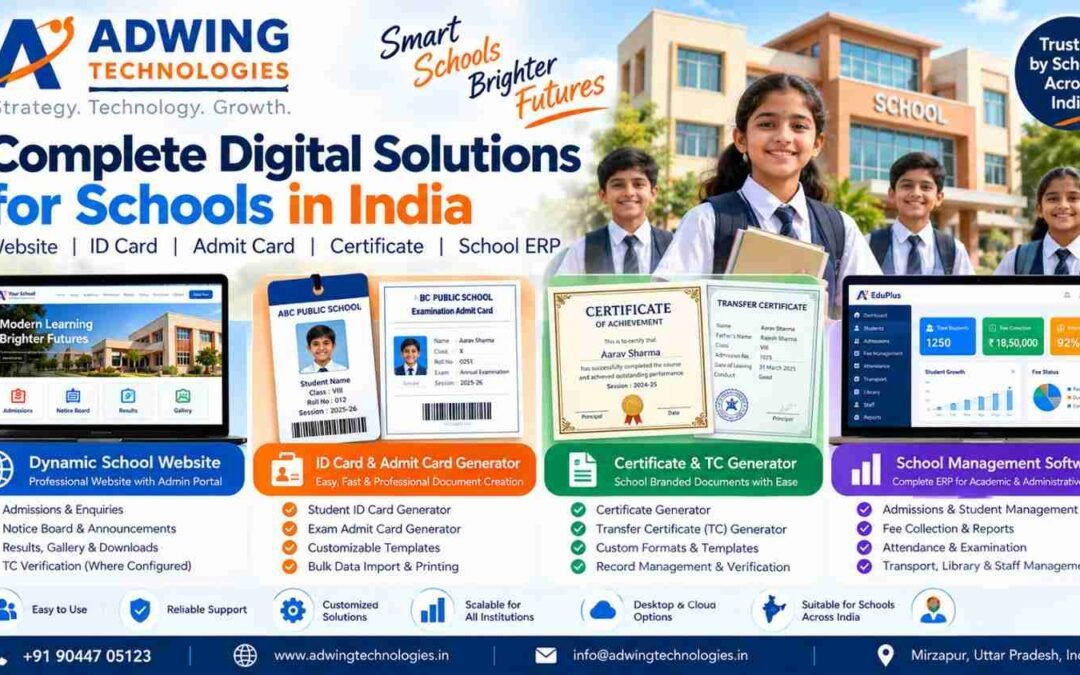
In today’s digital education environment, schools need more than traditional registers, manual documentation and basic websites. From student admissions and fee management to ID cards, examination admit cards, certificates and parent communication, educational institutions require reliable digital solutions.
Adwing Technologies offers smart school software and digital tools designed to simplify administration, improve efficiency and build a professional digital identity for educational institutions across India.
Whether you manage a private school, CBSE school, ICSE school, UP Board school, academy or educational institution, choosing the right technology can help reduce repetitive administrative work and improve daily operations.
School Management Software & Digital School Tools in india
1. Dynamic School Website Development – Build Your School’s Digital Identity
A professional school website is often the first place parents visit when searching for admissions, school facilities, academic information and contact details.
A Dynamic School Website with Admin Panel allows school management to update information without requiring technical assistance for every change.
Key Features of a Dynamic School Website
Attractive, mobile-responsive school website
Online admission enquiry and admission information
School notices and announcements
Results and examination updates
Photo gallery and school events
Principal’s message and school achievements
Mandatory disclosure and important documents
Downloads for parents and students
Transfer Certificate verification, where configured
Secure admin and staff management access
Search-engine-friendly school pages
A dynamic website helps schools maintain an updated online presence while making important information accessible to parents and students.
3. School Admit Card Generator – Simplify Examination Preparation
Preparing examination admit cards individually can require considerable administrative effort.
School Admit Card Generator Software helps schools organize examination-related student information and prepare printable admit cards using structured templates.
4. School Certificate & Transfer Certificate Generator
Schools regularly issue documents such as character certificates, bonafide certificates, achievement certificates and Transfer Certificates.
Digital document-generation workflows can help institutions maintain consistent formats and organized records.
Certificate Generator
A school certificate generator can be configured to prepare school-branded certificates using predefined templates and student details.
Transfer Certificate Generator
A TC Generator can help school offices prepare Transfer Certificates with student information, admission details and school-approved formats.
A related TC Verification System can allow authorized public verification of issued certificates when that functionality is implemented in the school portal.
Certificate and TC generation requirements may vary by institution, so template formats, approval workflows and deployment availability should be confirmed before implementation.
5. Complete School Management Software / School ERP
For schools seeking broader administrative control, School Management Software in India provides a more comprehensive approach. School ERP connects important academic and administrative functions within an organized management system.
Adwing Technologies offers School ERP Software solutions for educational institutions.
Major School ERP Modules
Student Admission Management: Manage enquiries, registration, admissions and student records.
School Fee Management: Maintain fee structures, collections, dues and related financial reports.
Attendance Management: Organize student attendance and attendance-related records.
Examination & Result Management: Support examination records, marks and result preparation.
Staff Management: Maintain employee and administrative information.
Transport Management: Organize school transport routes and related records.
Library Management: Maintain book records and issue-return information.
School Reports: Access administrative and operational reporting.
Institutions can explore available modules, deployment options and configurations before selecting the appropriate School ERP.
6. Dynamic School Website vs School Document Tools vs School ERP
These solutions address different requirements.
Solution
Primary Purpose
Dynamic School Website
Online presence, notices, admissions and information
School ID Card Generator
Student and staff identity cards
Admit Card Generator
Examination admit cards
Certificate & TC Generator
School document preparation
School Management ERP
Admissions, fees, attendance, examinations and administration
A school may begin with a website or document-generation tool and adopt additional systems as its requirements grow.
7. Why Schools Should Invest in Digital Management Solutions
Reduce Manual Administrative Work
Structured software workflows can reduce repetitive data entry, document formatting and paper-based processes.
Improve Record Organization
Digital records make it easier for authorized staff to access relevant information and prepare reports.
Build Parent Confidence
A professional school website with updated notices, achievements, admissions and contact information creates a stronger digital presence.
Improve Document Consistency
Reusable templates help maintain professional formatting across identity cards, admit cards and school certificates.
Support Future Growth
Schools can evaluate additional software modules as student strength, administrative requirements and institutional operations expand.
8. School Software Solutions Across India
Adwing Technologies, based in Mirzapur, Uttar Pradesh, provides software solutions, website development and digital technology services for educational institutions.
Schools looking for School Management Software in Delhi NCR, Lucknow, Varanasi, Prayagraj, Mirzapur, Kanpur, Jaipur, Patna, Mumbai, Bengaluru, Hyderabad, Pune and other Indian cities can enquire about suitable products, online demonstrations and available implementation arrangements. Our objective is to help educational institutions choose practical technology according to their requirements rather than adopt unnecessary software complexity.
9. Why Choose Adwing Technologies for School Digital Solutions?
Adwing Technologies focuses on practical software solutions, digital tools and implementation support for organizations. Schools can explore multiple solutions through one technology service provider:
Dynamic School Website & Portal
School ID Card Generator
School Admit Card Generator
Certificate & TC Generation Requirements
School Management Software / ERP
Website Design and Digital Services
Product Demonstration and Implementation Guidance
Our approach is to understand an institution’s requirements and recommend suitable software and website solutions.
What is the best School Management Software in India?
The best School Management Software depends on student strength, fees, attendance, examination requirements, available budget and deployment preferences. Schools should compare features and request a product demonstration before selecting a solution.
Can a school create student ID cards online?
Yes. Dedicated School ID Card Generator tools can help schools prepare student identity cards using templates and student information. Explore School Card Studio.
Can schools generate examination admit cards digitally?
Yes. Digital admit card workflows help prepare examination documents using structured student information and printable templates.
Is a Dynamic School Website different from School ERP?
Yes. A Dynamic School Website primarily manages public-facing information and online services, while School ERP focuses on internal academic and administrative operations.
Does every school need complete ERP software?
Not necessarily. Smaller institutions may initially need a professional website or dedicated document-generation tools. A complete ERP becomes more relevant when broader administrative integration is required.
Can schools request customized document formats?
Schools can discuss their document templates and required workflows with Adwing Technologies. Availability, configuration and implementation scope should be confirmed before deployment.
How can I request a school software demo?
Contact Adwing Technologies through WhatsApp, phone or the website contact page and share your institution’s requirements.
Conclusion: Take Your School Towards Digital Transformation
Digital transformation is becoming an important part of modern school administration. From professional school websites and student identity cards to examination admit cards, certificates and complete School ERP solutions, choosing the right digital tools can help schools improve efficiency and build a stronger online presence. Adwing Technologies brings practical digital education solutions together for schools across India.
Whether you need a simple School ID Card Generator, a Dynamic School Website or complete School Management Software, explore the available solutions and choose what suits your institution.
Best Restaurant POS Software in India 2026 – Bhojoo Restaurant Billing, KOT & Inventory Management Software
Running a restaurant in India? Discover how Bhojoo Restaurant POS Software by Adwing Technologies helps manage billing, kitchen orders, QR menus, tables, inventory, payments and daily restaurant operations from one connected system.
The Indian food service industry includes family restaurants, cafés, cloud kitchens, quick-service restaurants, food courts, takeaway counters and hotel restaurants. While every outlet operates differently, most restaurant owners face similar challenges: billing delays, kitchen order confusion, stock wastage, payment reconciliation and limited visibility into daily operations.
This is where Restaurant POS Software in India becomes an important business tool. Bhojoo Restaurant POS Software by Adwing Technologies is designed to connect restaurant billing, kitchen operations, tables, inventory and owner reporting through a practical management workflow.
What Is Restaurant POS Software in India?
Restaurant Point of Sale (POS) Software is a digital solution that helps food businesses record orders, generate bills, manage kitchen order tickets, process payments and maintain restaurant transaction records. Unlike basic billing software, a complete restaurant management system connects multiple daily operations.
Why Restaurants in India Need Smart Billing Software in 2026
A busy restaurant cannot depend only on handwritten orders and disconnected billing registers. During peak dining hours, multiple tables may order simultaneously. Customers may request additional dishes, cancel items or split payments between cash and UPI.
Without an organized workflow, these situations can create billing mistakes and kitchen confusion. Modern Restaurant Billing Software in India helps restaurants address these challenges through connected digital operations.
1. Fast Restaurant POS Billing
Bhojoo supports food item selection, quantities, rates, taxes, order notes and billing. Restaurants can manage dine-in and takeaway transactions through an organized billing interface. The system also supports customer bills before final settlement, helping restaurants separate bill presentation from payment confirmation.
2. Live KOT Software for Restaurant Kitchens
A Kitchen Order Ticket communicates customer orders to kitchen staff. Bhojoo supports NEW KOT, ADD KOT and kitchen status management. When customers order additional food at the same table, the new items can be sent through an ADD KOT while the running bill remains combined. Controlled KOT modification workflows also support quantity updates, cancellations and replacement instructions.
This is particularly useful for family restaurants, cafés and dine-in outlets where repeat ordering is common.
3. QR Code Restaurant Menu and Ordering
A digital QR menu allows customers to browse food categories and menu items on their mobile devices. Bhojoo includes a mobile-friendly QR menu and ordering workflow. QR menu ordering can help restaurants offer a convenient digital ordering experience alongside traditional waiter-assisted service.
4. Table and Floor Management
Managing multiple tables manually can become difficult during busy service hours. Bhojoo allows restaurant teams to organize floors, tables and their operational status. Restaurant staff can identify available, running and reserved tables. A running table remains occupied until final settlement, helping avoid confusion between bill printing and completed payment.
5. GST Billing and Multiple Payment Modes
Indian restaurants commonly accept several payment methods. Bhojoo supports:
Cash payments
UPI payments
Card payments
Split payments
Cash received and change return
Bill round-off
Payment mode correction with authorized access
Restaurant owners can review payment-mode-wise summaries during daily reconciliation.
6. Restaurant Inventory and Recipe Costing
Food stock control is important for protecting restaurant margins. A restaurant may purchase rice, flour, oil, vegetables, dairy products, packaging materials and other ingredients regularly. Bhojoo includes inventory records, stock transactions, low-stock visibility and recipe-costing support. These tools help restaurant teams maintain more organized purchasing, consumption and stock workflows.
7. Staff Roles and Restaurant Access Control
Different restaurant employees need different permissions. Bhojoo supports role-based access for administrative and operational users, including:
Waiter: Tables, orders and repeat KOT.
Kitchen Staff: Kitchen tickets and preparation status.
Cashier: Billing, payment and settlement.
Admin / Owner: Menu management, permissions, reports, settings and authorized corrections.
This structure helps restaurant owners maintain operational accountability.
8. Restaurant Reports and Business Analytics
Restaurant owners need more than a total sales figure.
Bhojoo provides operational reporting covering daily sales, order transactions, payment modes, kitchen status and stock visibility.
Audit records for sensitive actions such as payment correction and settled-bill void approval also help maintain traceability.
Bhojoo Restaurant POS – Online and Offline-Capable Operations
Internet connectivity can be an operational concern for restaurants. Bhojoo offers deployment options designed for online, local and hybrid restaurant workflows. Restaurants can discuss their billing counters, kitchen setup, printing requirements and connectivity needs with Adwing Technologies before selecting a deployment approach. Hybrid and offline capabilities depend on the configured installation and synchronization setup.
Bhojoo POS for Different Restaurant for Businesses in India
Restaurant Billing Software for Family Restaurants
Manage dine-in tables, repeat orders, kitchen instructions, customer bills and final settlements.
Café POS Software
Organize beverages, snacks, menu categories, takeaway orders and payment records.
Cloud Kitchen Management Software
Manage food orders, kitchen tickets, item availability and operational reporting.
Fast Food and QSR Billing Software
Use quick item selection, billing and kitchen communication for high-frequency order workflows.
Hotel Restaurant POS Software
Manage restaurant billing, tables, kitchen orders and daily transaction reporting for food-service operations.
Food Court and Takeaway POS Software
Organize counter billing, menu items, kitchen orders and customer payments.
Restaurant POS Software in Delhi, Mumbai, Bengaluru, Hyderabad and Across India
Adwing Technologies promotes Bhojoo Restaurant POS Software for food businesses across India. Restaurant owners looking for restaurant billing and KOT software in Delhi NCR, Mumbai, Bengaluru, Hyderabad, Chennai, Pune, Kolkata, Ahmedabad, Jaipur, Lucknow, Varanasi, Prayagraj and other Indian cities can enquire about online demonstrations, setup guidance and available support options.
Whether you operate a small café or a busy dine-in restaurant, choosing software that matches your actual workflow is important. Bhojoo provides a connected approach to POS billing, kitchen management, payments, inventory and reports.
Bhojoo Restaurant POS vs Basic Billing Software
Feature
Basic Billing Software
Bhojoo Restaurant POS
Sales billing
Usually available
Available
Live KOT workflow
May not be included
Available
Repeat table orders
Varies
Supported
Table and floor management
Varies
Available
QR menu ordering
Varies
Available
Inventory tracking
Varies
Available
Recipe costing
Varies
Supported
Split payments
Varies
Available
Role-based permissions
Varies
Available
Payment correction audit
Varies
Supported
Hybrid deployment
Varies
Configuration-dependent
Basic billing software capabilities vary by provider and product.
How to Choose the Right Restaurant Management Software in India
Before purchasing a restaurant POS system, evaluate the following:
Does the software support your dine-in, takeaway and kitchen workflow?
Can waiters add repeat orders without creating duplicate bills?
Does it support KOT printing and kitchen instructions?
Can it manage cash, UPI, card and split payments?
Can owners track inventory, stock consumption and reports?
Are staff permissions and sensitive corrections controlled?
What are the installation, training, support and connectivity requirements?
A product demonstration using your actual restaurant workflow is one of the most useful ways to evaluate a POS solution.
Frequently Asked Questions About Bhojoo Restaurant POS Software
Which restaurant POS software is suitable for Indian restaurants?
The right software depends on your restaurant size, order workflow, kitchen operations, inventory requirements and payment methods. Bhojoo is an option for restaurants seeking integrated billing, KOT, table management, inventory and reporting.
Does Bhojoo support GST restaurant billing?
Bhojoo supports tax configuration and GST-related billing information. Restaurants should configure applicable taxes according to their requirements and seek professional tax guidance where needed.
Can customers order through a QR code?
Bhojoo includes a mobile-friendly QR menu and restaurant ordering workflow.
Can a restaurant accept cash, UPI and card payments?
Yes. Bhojoo supports cash, UPI, card and split payment recording.
Can a waiter add more food to an existing table order?
Yes. Bhojoo supports same-table repeat ordering with ADD KOT while maintaining a combined running bill.
Does Bhojoo support inventory management?
Yes. Bhojoo includes stock tracking, inventory transactions, low-stock visibility and recipe-costing support.
Is Bhojoo available for restaurants across India?
Adwing Technologies offers product enquiries and remote demonstrations for Indian restaurant businesses. Confirm installation, onboarding and support arrangements for your location during consultation.
Can I request a Bhojoo Restaurant POS demo?
Yes. Contact Adwing Technologies and share your restaurant type, number of tables, billing counters, kitchen setup and software requirements.
Why Choose Bhojoo by Adwing Technologies?
Bhojoo focuses on the practical restaurant workflow—from taking an order and preparing food to generating the bill, collecting payment and reviewing daily reports.
Instead of managing disconnected processes, restaurant teams can work with a connected POS, KOT, table and inventory system.
Pharmacy Website Designing in Mirzapur, Vindhyachal, Bhadohi & Sonbhadra
The way customers discover local pharmacies and medical stores is changing rapidly. Earlier, customers mainly depended on nearby shops, referrals and local knowledge. Today, many people first search on Google for terms such as “medical store near me,” “pharmacy in Mirzapur,” “chemist shop in Vindhyachal,” or “medical store in Sonbhadra.”
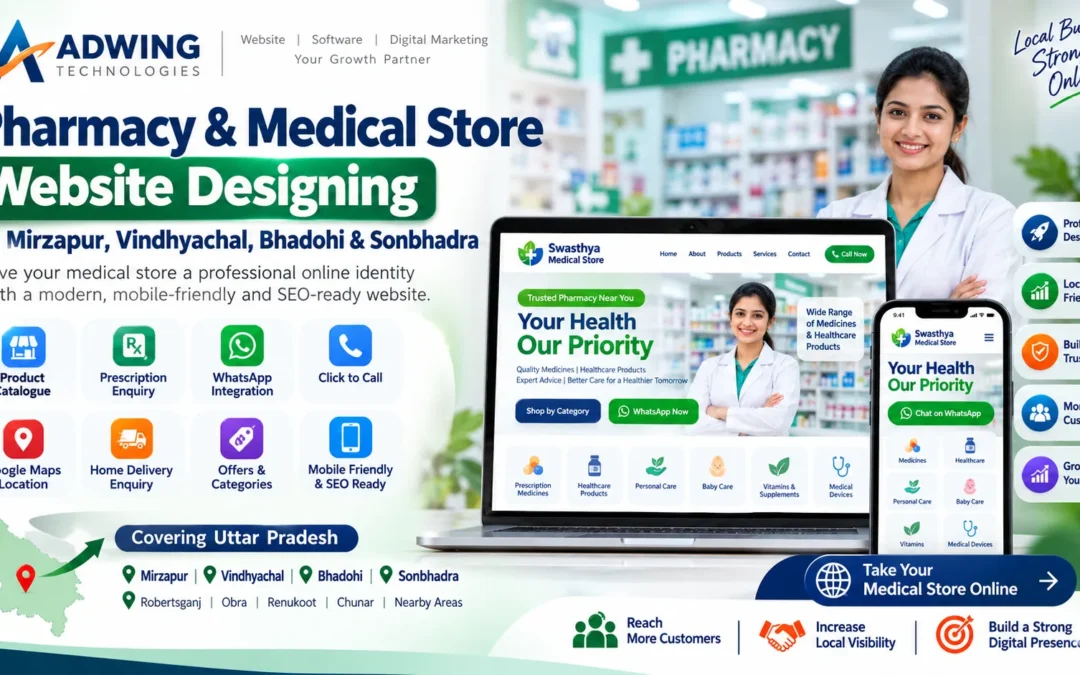
This makes a professional website increasingly valuable for pharmacies, chemist shops and healthcare retailers. Adwing Technologies provides pharmacy and medical store website designing services in Mirzapur, Vindhyachal, Bhadohi, Sonbhadra and other locations across Uttar Pradesh.
Our goal is to help pharmacy businesses build a professional digital identity, make their store information easier to discover and provide customers with convenient ways to contact them.
Why Does a Pharmacy Need a Professional Website?
A pharmacy website is more than an online visiting card. It can become the central digital identity of your medical store. When a customer searches for your business online, a professional website can clearly show:
Pharmacy name
Address
Contact number
Business hours
Google Maps location
Healthcare categories
Services
Product information
WhatsApp contact
Prescription enquiry
Home-delivery enquiry
About the pharmacy
Google Business Profile link
A properly developed website can also strengthen customer confidence because your business has a clear and professional online presence.
Pharmacy Website Designing in Mirzapur
Mirzapur is a growing commercial market with pharmacies, hospitals, clinics, diagnostic centres and healthcare businesses operating across the city and surrounding areas. Potential customers often search online for:
A professionally optimized pharmacy website can help your business create stronger visibility for relevant local searches.
For example, instead of having only your store name listed online, the website can contain dedicated information about:
Store location
Medicine categories
Healthcare products
Customer enquiry options
Delivery area
Opening hours
Contact information
When combined with a properly optimized Google Business Profile, this can create a much stronger local digital presence.
Medical Store Website Designing in Vindhyachal
Vindhyachal receives both local residents and a large number of visitors. Medical stores operating in Vindhyachal may serve customers looking for medicines, healthcare products, personal care products, first-aid supplies and other essential items. A medical store website in Vindhyachal can help customers quickly find important information such as:
Store location
Pharmacy timings
Phone number
WhatsApp contact
Available categories
Directions
Delivery enquiry
A clear Google Maps integration is particularly valuable for businesses serving visitors who may not be familiar with the locality.
Pharmacy Website Development in Bhadohi
Bhadohi has a strong local business ecosystem and serves customers from both urban and nearby regional markets. Pharmacies and healthcare retailers can use professional websites to build credibility and provide customers with easy digital access.
A pharmacy website in Bhadohi can include sections for:
Prescription medicines
OTC healthcare products
Wellness products
Vitamins and supplements
Personal care
Baby care
Medical devices
Healthcare essentials
The exact catalogue should reflect the products and services the pharmacy is legally permitted to offer.
Medical Store Website Designing in Sonbhadra
Sonbhadra covers a large geographical area with important markets such as Robertsganj and surrounding towns. For businesses serving customers across wider regions, a website becomes especially useful because customers can find business information without first visiting the physical store.
A properly structured medical store website in Sonbhadra can help customers:
Find your store through Google
Check contact details
View product categories
Send an enquiry
Connect through WhatsApp
Get directions
Check opening hours
Pharmacies serving areas around Robertsganj, Obra, Renukoot and other Sonbhadra locations can also create relevant service-area content where appropriate.
Important Features of a Pharmacy Website
A modern pharmacy website should be designed according to the actual workflow of a medical store.
1. Medicine & Healthcare Product Catalogue
A pharmacy can organize products into categories such as:
Medicines
Healthcare Products
Vitamins & Supplements
Personal Care
Baby Care
Medical Equipment
Wellness Products
First Aid
Customers can browse categories easily instead of searching through an unorganized list.
2. Prescription Enquiry / Upload
Where appropriate and compliant with applicable requirements, a website can provide a prescription enquiry or upload facility. A customer can submit the required information for the pharmacy to review and respond through an appropriate process. This can make communication easier while maintaining a controlled workflow. The actual dispensing or sale of prescription medicines must follow applicable pharmacy laws, licensing requirements and prescription rules.
3. WhatsApp Integration
WhatsApp is one of the most useful features for local pharmacy websites. Customers can tap a button and immediately communicate with the store.
WhatsApp can be used for:
Product enquiries
Store information
Availability enquiries
Delivery enquiries
General questions
This removes unnecessary steps from the customer journey.
4. Click-to-Call
Mobile visitors should be able to call the medical store with one tap. A prominent Call Now button is particularly useful for urgent product availability enquiries.
5. Google Maps Integration
A pharmacy website should clearly show the store’s physical location. Google Maps helps customers:
Find the store
Get directions
Understand nearby landmarks
Navigate from a hospital or clinic
This is particularly important for medical stores in Mirzapur, Vindhyachal, Bhadohi and Sonbhadra.
6. Home Delivery Enquiry
If the pharmacy legitimately provides home-delivery services in permitted areas, the website can include a delivery enquiry option.
Customers can provide:
Name
Mobile number
Location
Enquiry details
The pharmacy can then confirm availability and applicable delivery conditions.
7. Mobile-Friendly Website
Most local customers are likely to access a pharmacy website through smartphones. The website therefore needs to be fully responsive.
Important mobile features include:
Large call button
WhatsApp CTA
Easy navigation
Fast loading
Readable text
Simple enquiry form
Google Maps button
A complicated desktop-only website can lose potential customers quickly.
8. Secure Website
Pharmacy websites deal with customer enquiries and potentially sensitive submitted information. Basic website security is therefore important.
A professional setup should include:
HTTPS / SSL
Secure forms
Regular updates
Website backups
Reliable hosting
Limited data collection
Businesses should avoid requesting unnecessary personal or medical information through ordinary website forms.
Pharmacy Website + Google Business Profile
For local medical stores, one of the strongest combinations is:
Professional Website + Google Business Profile + Local SEO
The Google Business Profile can help customers discover the pharmacy through Maps.
The website can then provide more complete information.
For example:
A customer searches “medical store in Mirzapur”.
They find your Google Business Profile.
From there they can visit your website, see services, view the location and contact you directly.
This creates a much stronger customer journey.
Local SEO for Pharmacy Websites
A pharmacy website should be optimized according to its genuine service location.
Useful keyword patterns may include:
Mirzapur
Pharmacy Website Designing in Mirzapur
Medical Store in Mirzapur
Chemist Shop Mirzapur
Pharmacy Near Me Mirzapur
Vindhyachal
Medical Store in Vindhyachal
Pharmacy in Vindhyachal
Chemist Shop Vindhyachal
Bhadohi
Pharmacy in Bhadohi
Medical Store Bhadohi
Chemist Shop in Bhadohi
Sonbhadra
Medical Store in Sonbhadra
Pharmacy in Robertsganj
Medical Store in Obra
Pharmacy in Renukoot
The objective should not be to repeat these keywords everywhere.
Instead, the website should create useful local content that genuinely helps customers.
Website Design for Medical Stores Near Hospitals
Many pharmacies operate near:
Hospitals
Clinics
Diagnostic centres
Nursing homes
These businesses can create location-specific information explaining their store location and services.
For example:
Medical Store near [Hospital/Locality]
This can help customers searching for nearby healthcare businesses.
However, the website should only use legitimate location information and should not falsely claim affiliation with a hospital or clinic.
Pharmacy Product Pages
Depending on the business model, pharmacies can display product categories and informational listings.
Useful fields may include:
Product name
Category
Brand
Pack information
Product image
Enquiry button
For regulated medicines, website functionality must follow applicable Indian pharmacy and drug-sale regulations.
A website should never be used to bypass legal prescription requirements.
Digital Marketing for Pharmacy Businesses
A pharmacy website can become the foundation of a broader digital marketing strategy.
This can include:
Google Business Profile
Improve local visibility.
Local SEO
Target relevant geographical searches.
Google Posts
Publish store updates and services.
Social Media
Promote healthcare categories and business information responsibly.
Website Content
Publish useful, non-misleading information about the store and services.
Healthcare advertising requires additional care, so content should avoid unsupported medical claims or guarantees.
Website Designing for New Medical Stores
New pharmacy owners can create their digital identity from the beginning.
A recommended setup might include:
Domain + Hosting + Website + Google Business Profile + WhatsApp + Local SEO
This provides the business with a professional digital foundation.
Instead of waiting several years before creating a website, a new medical store can establish its online identity from launch.
Website Redesigning for Existing Pharmacies
Some medical stores already have websites, but those sites may be outdated.
Common problems include:
Old design
Incorrect phone number
Poor mobile layout
Broken forms
Missing WhatsApp button
Slow loading
No Google Maps
Old product information
Adwing Technologies can redesign an existing pharmacy website to provide a more modern and customer-friendly experience.
Who Can Use a Pharmacy Website?
Our website solutions can be suitable for:
Retail Pharmacies
Medical Stores
Chemist Shops
Healthcare Retailers
Pharmacy Chains
Hospital Pharmacies
Wellness Stores
Medical Equipment Stores
The website structure can be customized according to the business.
Why Choose Adwing Technologies?
Adwing Technologies combines:
Website Designing + Local SEO + Google Business Profile + Digital Marketing + Business Software
This allows us to approach the project from a business perspective rather than simply creating pages.
For a pharmacy website, we can focus on:
Professional appearance
Local search visibility
Mobile usability
Customer enquiry
WhatsApp integration
Google Maps
SEO-ready architecture
Easy content management
Pharmacy Website Services Across Uttar Pradesh
Our digital services can support pharmacy and medical-store businesses across Uttar Pradesh, with particular focus on eastern UP markets such as:
Businesses should create dedicated location pages only for genuine service areas.
This helps maintain both SEO quality and accurate customer information.
Build a Professional Digital Identity for Your Medical Store
A pharmacy is an important part of the local healthcare ecosystem.
Your online presence should reflect professionalism, reliability and accurate business information.
Whether you operate a medical store in Mirzapur, Vindhyachal, Bhadohi or Sonbhadra, a well-designed website can make it easier for customers to find your location, understand your services and contact your team.
Adwing Technologies can help you build a modern, responsive and SEO-ready pharmacy website designed for your local market.
The cost depends on features such as number of pages, product catalogue, enquiry system, prescription enquiry, payment integration and custom functionality.
Can you create a pharmacy website for Mirzapur?
Yes. The website can be optimized around the pharmacy’s actual Mirzapur location, services and target customers.
Can WhatsApp be added to a medical store website?
Yes. WhatsApp CTA can be integrated so visitors can contact the store directly.
Can medicines be displayed on the website?
Product and category information can be displayed subject to applicable laws and the pharmacy’s licensing and regulatory requirements.
Can customers upload prescriptions?
A prescription enquiry/upload workflow can be developed where legally and operationally appropriate. The pharmacy remains responsible for complying with prescription and dispensing requirements.
Can you add Google Maps?
Yes. The pharmacy location can be integrated with Google Maps.
Can the website target Vindhyachal and Bhadohi?
Yes, when those are genuine business locations or service areas, relevant location-specific content can be developed.
Can the website rank on Google?
An SEO-ready website provides a good foundation, but rankings depend on competition, website authority, content quality, Google Business Profile signals and ongoing SEO work.
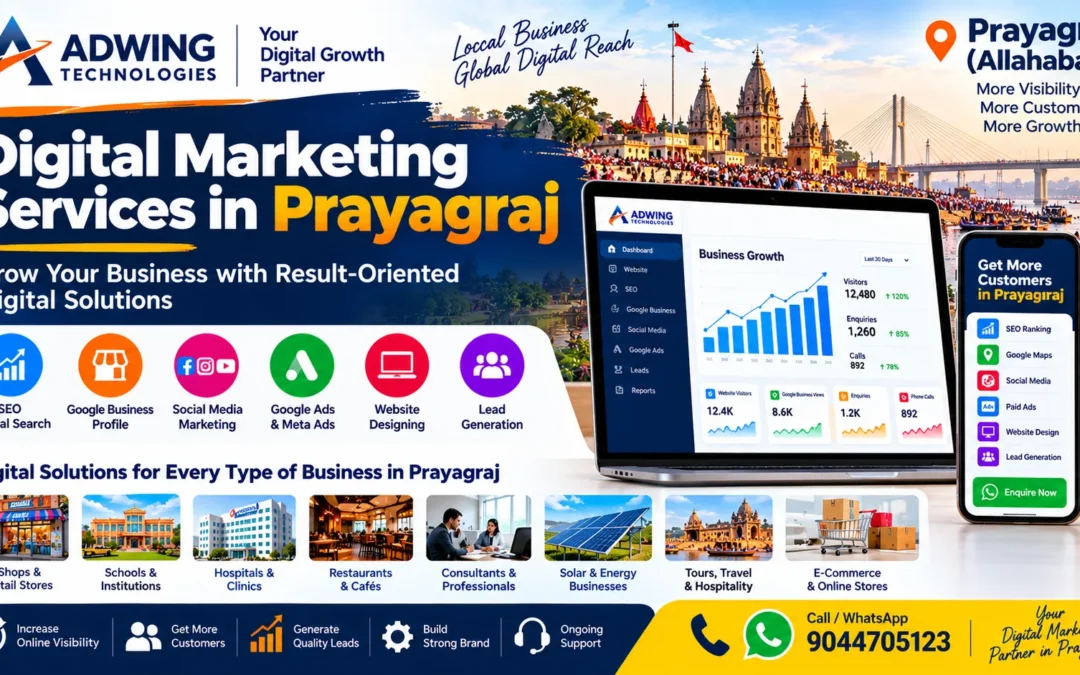
Professional Digital Marketing Services in Prayagraj for Business Growth
Customers today do not rely only on offline references. They search on Google, compare businesses on Maps, read reviews, visit websites and check social media before deciding whom to contact. That is why a business needs more than just a website or Facebook page. If you are searching for Digital Marketing Services in Prayagraj, Adwing Technologies helps businesses build a connected online presence across website, SEO, Google Business Profile, social media and paid advertising.
Our focus is simple:
Get Found → Build Trust → Generate Enquiries → Improve Results
Adwing’s current digital-services model connects website design, SEO, Google Business Profile, social media and ads into one customer journey rather than treating them as isolated activities. Mirzapur Digital Solutions
Digital marketing is not one single activity. For a local business in Prayagraj, an effective strategy can include:
Search Engine Optimization
Local SEO
Google Business Profile Optimization
Website Designing & Development
Social Media Marketing
Google Ads
Facebook & Instagram Ads
Landing Pages
Content Marketing
Review Strategy
Lead Generation
Conversion Tracking
The right combination depends on your business, target audience, competition and budget.
SEO Services in Prayagraj
SEO helps search engines understand your website and helps potential customers discover your services through relevant searches. Adwing’s SEO service includes keyword research, on-page optimisation, technical checks, internal-link recommendations, local landing-page optimisation and Google Search Console review. Mirzapur Digital Solutions
For a Prayagraj business, SEO can target genuine customer searches such as:
Digital Marketing Services in Prayagraj SEO Services in Prayagraj Website Designing Company in Prayagraj Google Business Optimization Prayagraj Local SEO Company in Prayagraj
Good SEO is not about repeating keywords everywhere. It is about matching the page to what the customer is actually searching for.
For many local businesses, Google Maps is one of the most important discovery channels. A properly managed Google Business Profile helps customers quickly see:
Business category
Address
Phone number
Website
Services
Products
Photos
Reviews
Opening hours
Directions
Adwing’s Google Business Profile service includes profile audits, category review, business descriptions, services/products setup, posts, review support, photo guidance and local competitor checks. Mirzapur Digital Solutions
Google Search → Google Maps → Website → WhatsApp / Call → Enquiry
Website Designing & Development in Prayagraj
Digital marketing performs better when interested customers arrive on a professional website. Your website should clearly explain:
Who you are → What you provide → Why customers should trust you → How they can contact you
Adwing Technologies develops responsive, SEO-ready websites with WhatsApp integration, lead forms, service pages and clear conversion paths. The broader service portfolio also covers WordPress, Divi, e-commerce, redesign and maintenance. Mirzapur Digital Solutions
Local SEO is especially useful for businesses that depend on customers from a specific city or nearby service areas.
Examples include:
Clinics
Schools
Restaurants
Solar businesses
Consultants
Retail shops
Coaching institutes
Service providers
Hotels
Real estate businesses
Local SEO can include:
location-focused landing pages, Google Business coordination, local keyword research, website optimisation and business information consistency. Adwing’s SEO service specifically includes local landing-page optimisation and coordination with local search signals. Mirzapur Digital Solutions
Social Media Marketing in Prayagraj
Social media helps businesses stay visible even when customers are not actively searching. Adwing’s digital-services offering includes brand-aligned social media planning and content support across platforms such as Facebook, Instagram, LinkedIn and YouTube. Mirzapur Digital Solutions
Content can include:
Service posts
Product promotions
Offers
Educational posts
Customer success stories
Festival creatives
Brand awareness
Lead generation campaigns
The aim should be consistency and relevance, not simply posting every day without a clear objective.
Google Ads & Meta Ads for Lead Generation
SEO builds long-term visibility, while paid advertising can help businesses reach targeted audiences faster. Adwing Technologies supports Google and Meta advertising with campaign objectives, keyword/audience research, ad structure, creative coordination, landing-page review, tracking and ongoing optimisation. Mirzapur Digital Solutions
A campaign should be built around a measurable action such as:
Call • WhatsApp • Form Submission • Booking • Sale
Digital marketing should ultimately help the business generate useful enquiries. A proper lead-generation system may include:
Google Search → Landing Page → WhatsApp / Form → Follow-up
or
Google Maps → Business Profile → Website → Call
The important part is that every channel supports the same customer action.
Adwing’s current digital-growth model is built around discovery, trust, conversion and improvement. Mirzapur Digital Solutions
Digital Marketing for Different Businesses in Prayagraj
Clinics & Hospitals
Use SEO, Google Maps, treatment pages and appointment enquiries to improve local discovery.
Schools & Educational Institutes
Promote admissions, courses, achievements, events and parent enquiries.
Restaurants & Cafés
Improve Google Maps visibility, promote menus and offers, and drive calls or WhatsApp enquiries.
Solar Businesses
Target rooftop solar, dealer, distributor and installation-related searches.
Consultants & Professionals
Build authority with professional websites, SEO content and lead forms.
Retail & Local Shops
Use Google Business Profile, local SEO, offers and social media promotion to attract nearby customers.
Service Businesses
Electricians, packers, interior designers, repair services, agencies and other local providers can benefit from search-driven lead generation.
Why Choose Adwing Technologies for Digital Marketing in Prayagraj?
Adwing Technologies offers a connected digital-growth framework combining: Website Design + SEO + Google Business + Social Media + Ads + Business Software
This creates a stronger customer journey than using disconnected marketing activities. Adwing’s current website lists connected website, search, social, advertising and business-software services under one practical growth system. Mirzapur Digital Solutions
Key Advantages
One Growth Partner Website, SEO, GBP, social and ads can be coordinated together.
Local Search Focus Content and optimisation can target genuine Prayagraj search intent.
Lead-Focused Approach Calls, WhatsApp and forms remain central to the conversion path.
Clear Scope & Reporting Service packages are structured around defined deliverables and activity tracking. Mirzapur Digital Solutions
Digital Marketing Packages
Adwing currently publishes three indicative digital marketing tiers:
Local Starter – ₹4,999/month Google Business optimisation, local keywords, profile posts and on-page SEO for a smaller local footprint.
Business Growth – ₹9,999/month Adds wider SEO support, social creatives, Facebook/Instagram activity and one ad platform.
Performance Pro – ₹17,999/month Adds advanced SEO, more social creatives, Google & Meta Ads, landing pages and conversion tracking. Prices are stated as starting estimates and can vary by approved scope, media spend and third-party costs. Mirzapur Digital Solutions
Frequently Asked Questions
Does Adwing Technologies provide digital marketing services in Prayagraj?
Yes. Businesses serving customers in Prayagraj can work with Adwing Technologies for website development, SEO, Google Business Profile, social media and paid advertising support.
Which digital marketing service should I start with?
That depends on your current setup. A business with no strong website may need website and Google Business first, while an established business may benefit more from SEO or ads.
Do you provide SEO services in Prayagraj?
Yes. Adwing’s SEO service includes keyword research, on-page SEO, technical checks, local SEO and reporting. Mirzapur Digital Solutions
Can you optimize my Google Business Profile?
Yes. Adwing provides dedicated Google Business Profile setup and monthly management options. Mirzapur Digital Solutions
Do you manage Facebook and Instagram?
Yes. Social media content and campaign support are included in the wider digital-services portfolio. Mirzapur Digital Solutions
Can you run Google Ads?
Yes. Google and Meta Ads management is available with campaign planning, targeting, landing-page review and conversion-tracking support. Mirzapur Digital Solutions
Can you guarantee Google ranking?
No ethical provider should guarantee a specific ranking. Search performance depends on competition, content quality, technical health, authority and other factors. Adwing states the same in its SEO service FAQs. Mirzapur Digital Solutions
Grow Your Business with Digital Marketing in Prayagraj
If your business needs better visibility on Google Search, Google Maps, social media and the web, a connected digital strategy can help you move from simply being online to actively generating enquiries.
Adwing Technologies provides website design, SEO, Google Business Profile optimisation, social media marketing and Google/Meta Ads for growing businesses.
Adwing Technologies
Website Design • SEO • Google Business • Social Media • Paid Ads