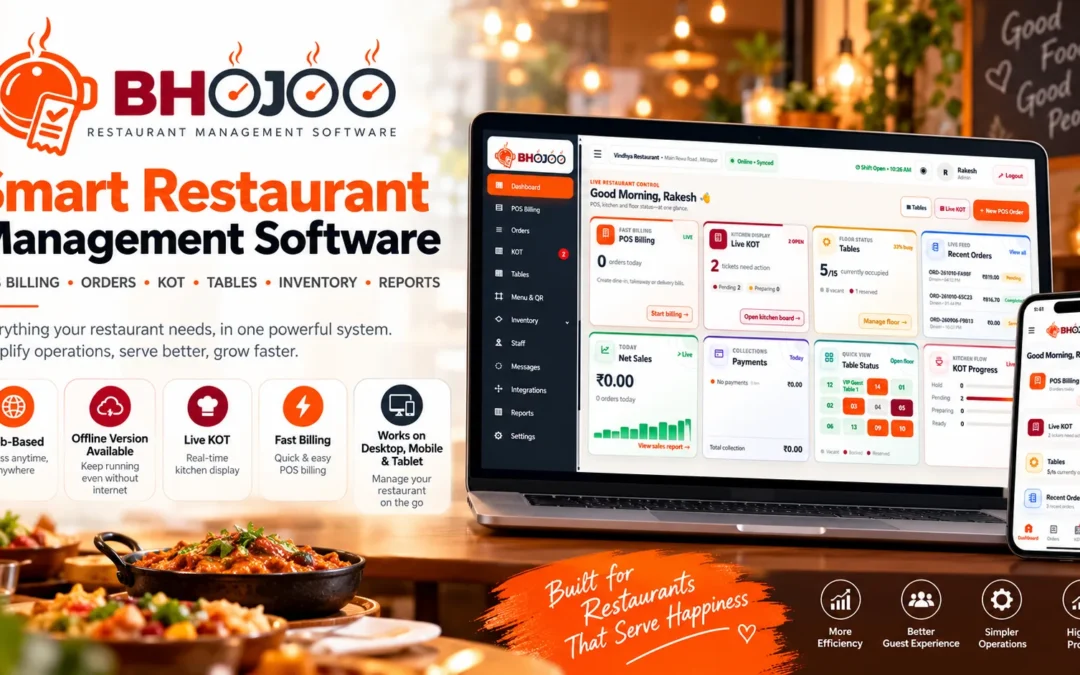
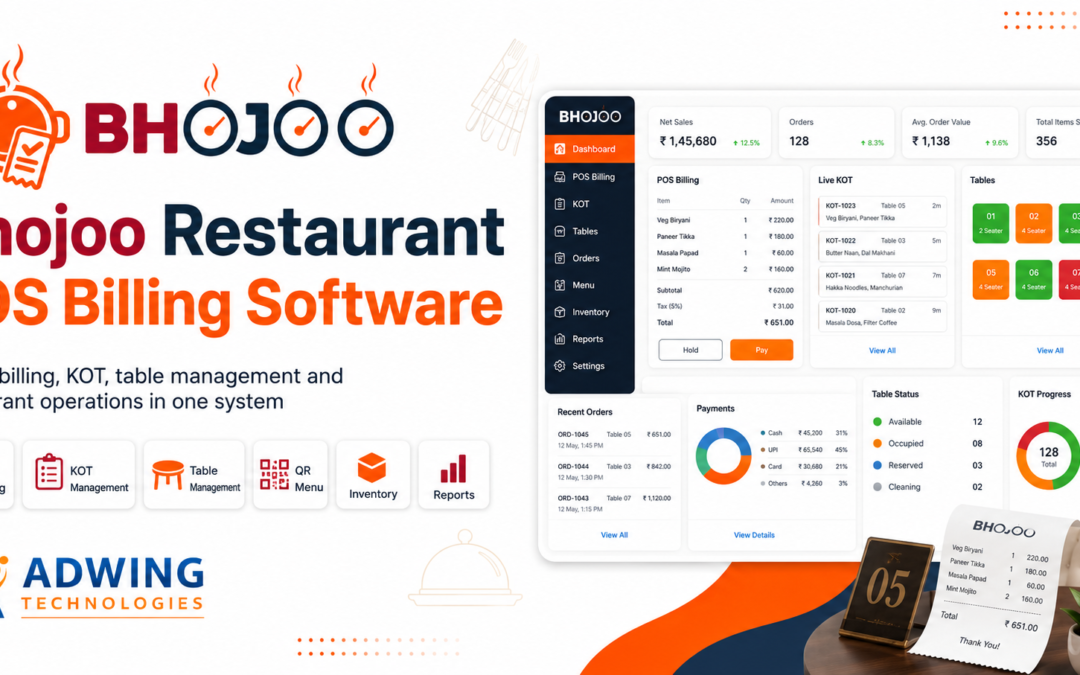
Best Restaurant POS Software in India 2026 – Bhojoo Restaurant Billing, KOT & Inventory Management Software
Running a restaurant in India? Discover how Bhojoo Restaurant POS Software by Adwing Technologies helps manage billing, kitchen orders, QR menus, tables, inventory, payments and daily restaurant operations from one connected system.
The Indian food service industry includes family restaurants, cafés, cloud kitchens, quick-service restaurants, food courts, takeaway counters and hotel restaurants. While every outlet operates differently, most restaurant owners face similar challenges: billing delays, kitchen order confusion, stock wastage, payment reconciliation and limited visibility into daily operations.
This is where Restaurant POS Software in India becomes an important business tool. Bhojoo Restaurant POS Software by Adwing Technologies is designed to connect restaurant billing, kitchen operations, tables, inventory and owner reporting through a practical management workflow.
What Is Restaurant POS Software in India?
Restaurant Point of Sale (POS) Software is a digital solution that helps food businesses record orders, generate bills, manage kitchen order tickets, process payments and maintain restaurant transaction records. Unlike basic billing software, a complete restaurant management system connects multiple daily operations.
Why Restaurants in India Need Smart Billing Software in 2026
A busy restaurant cannot depend only on handwritten orders and disconnected billing registers. During peak dining hours, multiple tables may order simultaneously. Customers may request additional dishes, cancel items or split payments between cash and UPI.
Without an organized workflow, these situations can create billing mistakes and kitchen confusion. Modern Restaurant Billing Software in India helps restaurants address these challenges through connected digital operations.
1. Fast Restaurant POS Billing
Bhojoo supports food item selection, quantities, rates, taxes, order notes and billing. Restaurants can manage dine-in and takeaway transactions through an organized billing interface. The system also supports customer bills before final settlement, helping restaurants separate bill presentation from payment confirmation.
2. Live KOT Software for Restaurant Kitchens
A Kitchen Order Ticket communicates customer orders to kitchen staff. Bhojoo supports NEW KOT, ADD KOT and kitchen status management. When customers order additional food at the same table, the new items can be sent through an ADD KOT while the running bill remains combined. Controlled KOT modification workflows also support quantity updates, cancellations and replacement instructions.
This is particularly useful for family restaurants, cafés and dine-in outlets where repeat ordering is common.
3. QR Code Restaurant Menu and Ordering
A digital QR menu allows customers to browse food categories and menu items on their mobile devices. Bhojoo includes a mobile-friendly QR menu and ordering workflow. QR menu ordering can help restaurants offer a convenient digital ordering experience alongside traditional waiter-assisted service.
4. Table and Floor Management
Managing multiple tables manually can become difficult during busy service hours. Bhojoo allows restaurant teams to organize floors, tables and their operational status. Restaurant staff can identify available, running and reserved tables. A running table remains occupied until final settlement, helping avoid confusion between bill printing and completed payment.
5. GST Billing and Multiple Payment Modes
Indian restaurants commonly accept several payment methods. Bhojoo supports:
Cash payments
UPI payments
Card payments
Split payments
Cash received and change return
Bill round-off
Payment mode correction with authorized access
Restaurant owners can review payment-mode-wise summaries during daily reconciliation.
6. Restaurant Inventory and Recipe Costing
Food stock control is important for protecting restaurant margins. A restaurant may purchase rice, flour, oil, vegetables, dairy products, packaging materials and other ingredients regularly. Bhojoo includes inventory records, stock transactions, low-stock visibility and recipe-costing support. These tools help restaurant teams maintain more organized purchasing, consumption and stock workflows.
7. Staff Roles and Restaurant Access Control
Different restaurant employees need different permissions. Bhojoo supports role-based access for administrative and operational users, including:
Waiter: Tables, orders and repeat KOT.
Kitchen Staff: Kitchen tickets and preparation status.
Cashier: Billing, payment and settlement.
Admin / Owner: Menu management, permissions, reports, settings and authorized corrections.
This structure helps restaurant owners maintain operational accountability.
8. Restaurant Reports and Business Analytics
Restaurant owners need more than a total sales figure.
Bhojoo provides operational reporting covering daily sales, order transactions, payment modes, kitchen status and stock visibility.
Audit records for sensitive actions such as payment correction and settled-bill void approval also help maintain traceability.
Bhojoo Restaurant POS – Online and Offline-Capable Operations
Internet connectivity can be an operational concern for restaurants. Bhojoo offers deployment options designed for online, local and hybrid restaurant workflows. Restaurants can discuss their billing counters, kitchen setup, printing requirements and connectivity needs with Adwing Technologies before selecting a deployment approach. Hybrid and offline capabilities depend on the configured installation and synchronization setup.
Bhojoo POS for Different Restaurant for Businesses in India
Restaurant Billing Software for Family Restaurants
Manage dine-in tables, repeat orders, kitchen instructions, customer bills and final settlements.
Café POS Software
Organize beverages, snacks, menu categories, takeaway orders and payment records.
Cloud Kitchen Management Software
Manage food orders, kitchen tickets, item availability and operational reporting.
Fast Food and QSR Billing Software
Use quick item selection, billing and kitchen communication for high-frequency order workflows.
Hotel Restaurant POS Software
Manage restaurant billing, tables, kitchen orders and daily transaction reporting for food-service operations.
Food Court and Takeaway POS Software
Organize counter billing, menu items, kitchen orders and customer payments.
Restaurant POS Software in Delhi, Mumbai, Bengaluru, Hyderabad and Across India
Adwing Technologies promotes Bhojoo Restaurant POS Software for food businesses across India. Restaurant owners looking for restaurant billing and KOT software in Delhi NCR, Mumbai, Bengaluru, Hyderabad, Chennai, Pune, Kolkata, Ahmedabad, Jaipur, Lucknow, Varanasi, Prayagraj and other Indian cities can enquire about online demonstrations, setup guidance and available support options.
Whether you operate a small café or a busy dine-in restaurant, choosing software that matches your actual workflow is important. Bhojoo provides a connected approach to POS billing, kitchen management, payments, inventory and reports.
Bhojoo Restaurant POS vs Basic Billing Software
Feature
Basic Billing Software
Bhojoo Restaurant POS
Sales billing
Usually available
Available
Live KOT workflow
May not be included
Available
Repeat table orders
Varies
Supported
Table and floor management
Varies
Available
QR menu ordering
Varies
Available
Inventory tracking
Varies
Available
Recipe costing
Varies
Supported
Split payments
Varies
Available
Role-based permissions
Varies
Available
Payment correction audit
Varies
Supported
Hybrid deployment
Varies
Configuration-dependent
Basic billing software capabilities vary by provider and product.
How to Choose the Right Restaurant Management Software in India
Before purchasing a restaurant POS system, evaluate the following:
Does the software support your dine-in, takeaway and kitchen workflow?
Can waiters add repeat orders without creating duplicate bills?
Does it support KOT printing and kitchen instructions?
Can it manage cash, UPI, card and split payments?
Can owners track inventory, stock consumption and reports?
Are staff permissions and sensitive corrections controlled?
What are the installation, training, support and connectivity requirements?
A product demonstration using your actual restaurant workflow is one of the most useful ways to evaluate a POS solution.
Frequently Asked Questions About Bhojoo Restaurant POS Software
Which restaurant POS software is suitable for Indian restaurants?
The right software depends on your restaurant size, order workflow, kitchen operations, inventory requirements and payment methods. Bhojoo is an option for restaurants seeking integrated billing, KOT, table management, inventory and reporting.
Does Bhojoo support GST restaurant billing?
Bhojoo supports tax configuration and GST-related billing information. Restaurants should configure applicable taxes according to their requirements and seek professional tax guidance where needed.
Can customers order through a QR code?
Bhojoo includes a mobile-friendly QR menu and restaurant ordering workflow.
Can a restaurant accept cash, UPI and card payments?
Yes. Bhojoo supports cash, UPI, card and split payment recording.
Can a waiter add more food to an existing table order?
Yes. Bhojoo supports same-table repeat ordering with ADD KOT while maintaining a combined running bill.
Does Bhojoo support inventory management?
Yes. Bhojoo includes stock tracking, inventory transactions, low-stock visibility and recipe-costing support.
Is Bhojoo available for restaurants across India?
Adwing Technologies offers product enquiries and remote demonstrations for Indian restaurant businesses. Confirm installation, onboarding and support arrangements for your location during consultation.
Can I request a Bhojoo Restaurant POS demo?
Yes. Contact Adwing Technologies and share your restaurant type, number of tables, billing counters, kitchen setup and software requirements.
Why Choose Bhojoo by Adwing Technologies?
Bhojoo focuses on the practical restaurant workflow—from taking an order and preparing food to generating the bill, collecting payment and reviewing daily reports.
Instead of managing disconnected processes, restaurant teams can work with a connected POS, KOT, table and inventory system.
Running a restaurant today requires much more than simply taking orders and printing bills. Restaurants need faster billing, accurate KOT management, table tracking, inventory control, payment management and clear business reports to operate efficiently.
Bhojoo Restaurant POS Billing Software by Adwing Technologies is designed to bring these restaurant operations together in one simple system.Whether you manage a restaurant, café, food court, cloud kitchen or quick-service outlet, Bhojoo helps streamline day-to-day operations and provides better control over billing, kitchen orders, tables, stock and payments.
What is Bhojoo Restaurant POS Billing Software?
Bhojoo is a complete restaurant POS and management software designed for food businesses that want to simplify billing and operational workflows.Instead of using separate systems for billing, kitchen orders, table management and reporting, Bhojoo allows the restaurant team to manage key operations through a centralized dashboard.
It is suitable for:
Restaurants
Cafes
Food Courts
Quick Service Restaurants
Cloud Kitchens
Small and Medium Food Outlets
Multi-table dining businesses
The system is designed to support both front-of-house and back-of-house operations.
Billing is one of the most important operations in any restaurant. Bhojoo POS allows staff to quickly create customer bills, select menu items, calculate totals and complete orders without complicated steps.A faster billing system helps reduce waiting time and improves the overall customer experience. The billing workflow supports different restaurant order types such as:
Dine-in
Takeaway
Delivery
Table Orders
2. KOT – Kitchen Order Ticket Management
Kitchen coordination is critical in restaurant operations. With Bhojoo, orders can be sent through the KOT workflow, helping the kitchen team clearly understand which items need to be prepared.
The system helps manage:
New KOT
Kitchen orders
Updated orders
Repeat orders
KOT status
Item changes
Cancelled or modified items
This makes communication between the billing counter, waiter and kitchen much smoother.
3. Table Management and Floor View
Bhojoo provides a visual table management system that helps staff quickly understand the status of restaurant tables.
Tables can be organized by floor or dining area.Restaurant staff can easily identify:
Vacant tables
Occupied tables
Reserved tables
Active orders
Table-wise billing
This feature is especially useful for dine-in restaurants with multiple tables and floors.
4. QR Menu Ordering
Modern restaurants increasingly use QR-based ordering to provide customers with a contactless and convenient ordering experience.Bhojoo can support QR Menu Ordering, allowing customers to scan a QR code and view the restaurant menu on their mobile device.Depending on the configured workflow, customers can select menu items and place orders directly.
Benefits include:
Reduced dependency on printed menus
Faster ordering
Easy menu access
Better customer convenience
Modern restaurant experience
5. Menu Management
Restaurant owners can organize menu items into categories for easier billing and ordering.
Examples include:
Main Course
Starters
Beverages
Desserts
Combos
Snacks
Menu items can include details such as item name, price, category and tax configuration.A well-organized menu helps billing staff locate items quickly and reduces billing errors.
6. Inventory and Stock Management
Inventory control plays an important role in restaurant profitability.Bhojoo includes inventory and stock management features to help restaurants track raw materials and stock movement.
Restaurant owners can monitor:
Available stock
Stock transactions
Item consumption
Low stock
Wastage
Ingredient usage
Stock adjustments
With proper inventory tracking, restaurants can reduce unnecessary wastage and improve stock planning.
7. Recipe Costing and Stock Consumption
Restaurant profitability depends heavily on food cost management. Recipe-based inventory tracking can help calculate how much stock should be consumed when a menu item is sold.For example, if a restaurant sells a particular dish, the ingredients associated with that dish can be adjusted from inventory according to the configured recipe. This helps owners understand:
Food cost
Ingredient consumption
Stock usage
Item profitability
Wastage
8. Multiple Payment Modes
Customers today use different payment options.Bhojoo supports restaurant billing workflows using payment modes such as:
Cash
UPI
Card
Split Payment
Split payment is particularly useful when customers want to pay one bill using multiple payment methods.The system can also maintain payment-mode-wise transaction records for better financial reporting.
9. Bill Settlement Workflow
In many restaurants, the waiter first provides the customer bill and payment is settled afterwards.Bhojoo supports this practical restaurant workflow.
The process can be:
Order → KOT → Customer Bill → Payment Selection → Settlement → Final Transaction Record
This allows the restaurant owner or cashier to maintain a clear record of settled and unsettled bills.
10. Customer Management
Restaurants can maintain customer information for future reference and better service.Customer details may help with:
Repeat orders
Customer history
Contact information
Delivery orders
Customer relationship management
A centralized customer database can help restaurants improve customer engagement over time.
Staff Roles and User Permissions
Not every restaurant employee should have access to every software function.Bhojoo can provide role-based access for users such as:
Admin
Cashier
Waiter
Kitchen Staff
The restaurant administrator can control which features are accessible to each user.For example, a waiter may be allowed to create an order but may not have access to financial reports or system settings.This improves both operational control and software security.
Restaurant Reports and Analytics
Good restaurant software should not only create bills—it should also help owners understand their business.
Bhojoo provides business reports that can help management track restaurant performance.
Reports may include:
Daily Sales
Total Orders
Payment Mode Summary
Order History
Item Sales
Table Orders
Inventory Reports
Transaction Reports
Business Performance
These insights help restaurant owners make informed decisions.
Live Dashboard for Restaurant Management
The Bhojoo dashboard provides a quick overview of important restaurant activity.
Depending on the configured dashboard, restaurant managers can view information such as:
Net Sales
Recent Orders
Table Status
KOT Progress
Payments
Active Tables
Pending Orders
Kitchen Activity
Instead of checking multiple sections manually, owners can monitor key information from a single dashboard.
Online and Offline Restaurant POS Workflow
Internet interruptions can become a serious problem for restaurant billing.
Bhojoo is designed with online/offline operational flexibility in mind.
Restaurants can continue important billing workflows even when internet connectivity becomes unstable, depending on the configured deployment.
This is especially helpful for restaurants where uninterrupted billing is essential.
Why Restaurants Need Modern POS Billing Software
Traditional billing systems and handwritten KOT processes can create several operational problems.
Common issues include:
Billing mistakes
Lost KOT slips
Incorrect table orders
Slow service
Stock mismatch
Payment confusion
Lack of business reports
Difficulty tracking cancelled orders
A modern Restaurant POS Billing Software helps restaurants organize these processes digitally.
Bhojoo aims to provide a simple workflow that can be used by restaurant owners and staff without unnecessary complexity.
Bhojoo POS for Cafes
Bhojoo is also suitable for cafés that need quick billing and takeaway management.
Cafe owners can manage:
Fast counter billing
Beverage categories
Food items
Takeaway orders
KOT
Inventory
Payments
Reports
This makes Bhojoo suitable for both full-service restaurants and smaller cafe operations.
Bhojoo POS for Food Courts and Quick-Service Restaurants
Food courts and quick-service outlets often require high-speed billing.
Bhojoo can help businesses handle frequent orders while maintaining billing and kitchen coordination.
Features such as POS billing, KOT, order tracking and payment management help staff process customers efficiently.
Benefits of Bhojoo Restaurant POS Software
Using Bhojoo Restaurant POS can help businesses achieve:
Faster Billing Reduce the time required to create and settle restaurant bills.
Better Kitchen Coordination KOT management helps the kitchen receive organized order information.
Improved Table Control Monitor occupied, reserved and available tables.
Accurate Inventory Tracking Maintain better visibility over restaurant stock.
Better Payment Management Track cash, UPI, card and split transactions.
Business Reports Understand sales, payments and restaurant performance.
Easy Staff Management Provide permissions according to staff roles.
Better Customer Experience Faster service and organized restaurant operations can improve overall customer satisfaction.
Why Choose Bhojoo Restaurant POS by Adwing Technologies?
Bhojoo focuses on providing the essential tools required for modern restaurant operations without making the interface unnecessarily complicated.
The system combines:
POS Billing + KOT + Table Management + QR Menu + Inventory + Payments + Reports
into one restaurant management solution.
Adwing Technologies provides assistance with setup, configuration, deployment and product support for businesses using Bhojoo.
Who Should Use Bhojoo?
Bhojoo can be considered by businesses such as:
Family Restaurants
Cafes
Fast Food Restaurants
Cloud Kitchens
Food Courts
Dine-in Restaurants
Takeaway Outlets
Multi-table Restaurants
Small Restaurant Chains
Get a Demo of Bhojoo Restaurant POS
If you are searching for reliable Restaurant POS Billing Software in India, Bhojoo can help simplify your billing and restaurant management workflow.
Explore how Bhojoo can manage your billing, KOT, tables, menu, inventory, payments and reports from one platform.
Request a Bhojoo Restaurant POS demo from Adwing Technologies and see how the software can fit your restaurant workflow.
FAQ – Bhojoo Restaurant POS Billing Software
Is Bhojoo suitable for small restaurants?
Yes. Bhojoo can be used by small and medium restaurants, cafés and food outlets that need organized billing, KOT, table and payment management.
Does Bhojoo support restaurant KOT?
Yes. Bhojoo includes KOT and kitchen order management features designed to improve coordination between the ordering staff and kitchen.
Can Bhojoo manage restaurant tables?
Yes. Table and floor management helps staff monitor available, occupied and reserved tables.
Does Bhojoo support QR menu ordering?
Bhojoo can support QR-based menu and ordering workflows depending on the restaurant setup.
Can I manage restaurant inventory in Bhojoo?
Yes. Bhojoo includes stock and inventory functionality, with support for stock transactions, item consumption, wastage and related inventory workflows.